Industrial inkjet printers are vital for various industries, delivering high-quality printing solutions. According to a report by Smithers Pira, the global market for inkjet printing is projected to reach $44 billion by 2025. However, these complex machines require diligent maintenance to ensure optimal performance and longevity. Understanding how to maintain industrial inkjet printers can significantly reduce downtime and enhance print quality.
Expert Karen Albright, a leading technician in the inkjet printing field, emphasizes, "Regular maintenance is crucial. Neglecting it can lead to costly repairs." Her insights underline the importance of routine check-ups and timely repairs to prevent performance issues. Many companies overlook the specifics of daily checks and calibration, which are essential for consistent output.
Acknowledging imperfections in maintenance practices often leads to improvement. Many businesses find themselves grappling with printer malfunctions that could have been avoided. Creating a scheduled maintenance plan can help bridge these gaps. Ultimately, effective maintenance not only preserves equipment but also maximizes productivity across industrial operations.
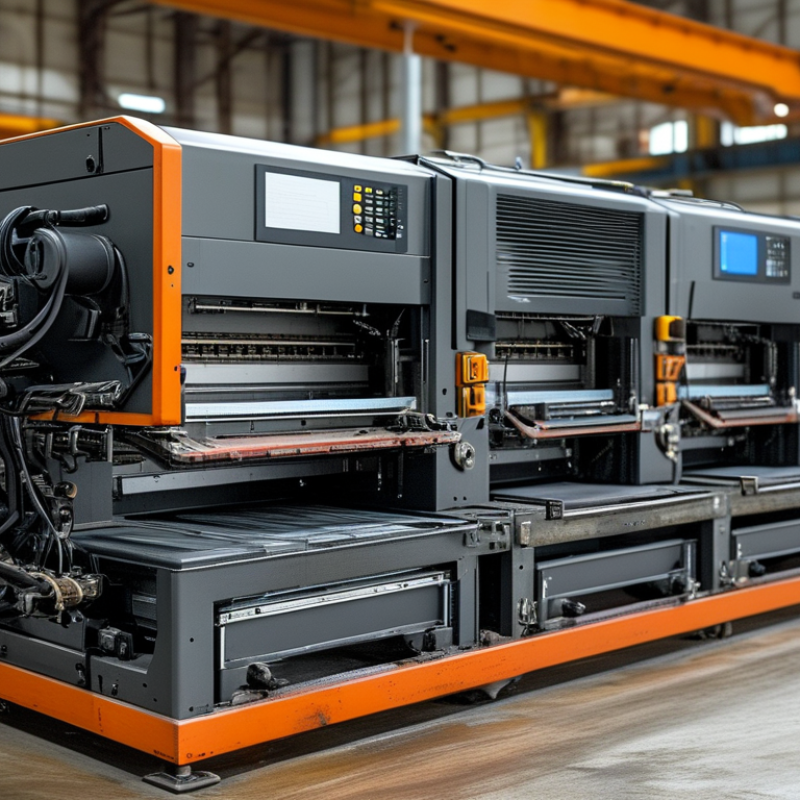
Industrial inkjet printers are pivotal in various manufacturing processes. Understanding their basics helps ensure optimal performance. They utilize tiny nozzles to spray ink onto materials, creating precise images and text. This technology is employed in packaging, labels, and promotional materials, making it versatile.
Regular maintenance is essential. Each printer requires specific cleaning procedures. Clogging can occur, particularly if the printer sits idle for long periods. Ignoring this can lead to costly repairs or reduced print quality. Ensure you check ink levels periodically. Low ink can cause streaking and inconsistency in color.
Users must also understand the impact of environmental factors. High humidity or dust can damage components. It’s crucial to keep printers in a clean, controlled space. Many operators overlook these aspects, leading to performance issues. Regularly inspect printer performance to identify potential problems early. This proactive approach can enhance reliability and efficiency.
Regular maintenance is essential for optimal performance of industrial inkjet printers. According to industry studies, 60% of printer issues stem from a lack of regular upkeep. Keeping up with maintenance can extend the life of your equipment and ensure high-quality output.
One critical practice is routine cleaning of printheads. Clogs can disrupt printing, leading to wasted materials. Regularly scheduled cleaning can prevent this. Aim to clean printheads weekly. Additionally, monitor ink levels closely. Low ink can impinge on print quality by causing faded prints. A regular check at the start of each shift is advisable.
Tips: Create a maintenance checklist. Include steps like head cleaning, ink monitoring, and software updates. This can help streamline your process and avoid forgetfulness. Also, document any issues you encounter. This record can identify patterns and inform future troubleshooting efforts. Remember, a small oversight today can escalate into larger problems tomorrow.
Replacing ink cartridges in industrial inkjet printers can be a straightforward task, yet it requires attention to detail. Start by ensuring the printer is powered off. Open the cartridge compartment carefully. Check each cartridge for compatibility. This avoids unnecessary errors. Many users overlook the condition of the connectors. They should be clean and free of dust. Use a soft, dry cloth to wipe them gently if needed.
When installing new cartridges, handle them with care. It’s easy to damage the sensitive components. Press the cartridge firmly until it clicks into place. This ensures proper contact. After installation, run a test print to ensure everything functions correctly. There might be instances where prints appear streaky or faint. This could indicate a problem with the cartridges, or a need for a cleaning cycle. Sometimes, it’s just an issue of alignment.
Keep track of ink levels regularly. This helps prevent running out mid-job, which can halt production. If you notice frequent low ink alerts, evaluate your usage habits. It might be time to reassess your printing needs. Some environments require more ink, while others may need less frequent replacements. Understanding your specific demands can enhance operational efficiency.
Cleaning and calibrating print heads is essential for industrial inkjet printers. Regular maintenance ensures optimal output and prolongs printer life. Reports indicate that nearly 80% of printing issues stem from dirty or misaligned print heads. A commitment to cleanliness can dramatically enhance print quality.
Cleaning print heads involves both manual and automated processes. Manual cleaning often requires specific solvents and lint-free cloths. This reduces the risk of damage. Automated cleaning cycles are effective for quick maintenance. However, they may not suffice for heavily clogged nozzles. It's vital to assess the cleaning frequency based on usage. For high-volume printing, daily cleaning can be beneficial, while lower volumes might need it weekly.
Calibration is equally critical. Misalignment can result in color variations and blurriness. Regular calibration checks can minimize production downtime. According to industry studies, improperly calibrated printers can waste up to 25% of resources due to print errors. Employing a systematic approach to calibration can mitigate this waste. Identifying and addressing issues promptly leads to better print accuracy and quality.
Industrial inkjet printers are vital for various printing applications, yet they can face several issues. Common problems include clogged nozzles, inconsistent ink flow, and poor print quality. Research indicates that 25% of maintenance calls revolve around these issues. Addressing them promptly can greatly enhance printer performance.
Clogged nozzles often arise from inadequate cleaning routines. Regular maintenance should incorporate a nozzle check and cleaning cycle. It's crucial to use high-quality inks, as lower quality can lead to increased viscosity and clogging. Inconsistent ink flow may signal a problem with the pump or filters. Routine inspections can help identify these issues early, preventing costly downtime.
Print quality deterioration can stem from multiple factors. Dust and debris on print heads can lead to smudged images. Using a microfiber cloth for maintenance can help. Additionally, environmental factors like humidity can affect print output. Studies show that maintaining optimal humidity levels (40%-60% RH) can improve print reliability. Monitoring these aspects is essential for optimal operation.
: Regular maintenance prevents issues and extends printer life. About 60% of problems arise from neglecting upkeep.
Printheads should be cleaned weekly. This prevents clogs and maintains high-quality output.
Ensure the printer is off and check cartridge compatibility. Clean connectors carefully to avoid damage.
Handle cartridges gently and press them firmly until they click. This guarantees proper connection.
If prints are not clear, check cartridges and consider a cleaning cycle. Misalignment may also be an issue.
Regular calibration checks minimize downtime. For optimal results, calibrate based on your printing frequency.
Frequent low ink alerts might indicate the need to reassess your printing habits or workloads for efficiency.
A small oversight can escalate into larger issues. Poor maintenance reduces print quality and increases waste.
Create a maintenance checklist and document issues. This helps avoid forgetfulness and tracks recurring problems.
Use specific solvents and lint-free cloths for safe cleaning. Avoid using generic cloths to prevent damage.
To effectively understand how to maintain industrial inkjet printers, it is crucial to grasp their fundamental operations and components. Regular maintenance practices, such as scheduled inspections and upkeep, ensure these printers function at their best. Efficient ink cartridge assessment and replacement are key in preventing interruptions in production, as fresh cartridges contribute significantly to print quality.
Cleaning and calibrating print heads are essential steps for achieving optimal output, helping to avoid misprints and ensuring vibrant colors. Additionally, being able to identify and troubleshoot common issues in industrial inkjet printing can save time and resources. By following these guidelines, users can maintain their printers effectively, ensuring durability and high-quality performance in demanding environments.

Vector Print